ngtskynebula: (Default)
[personal profile] ngtskynebula
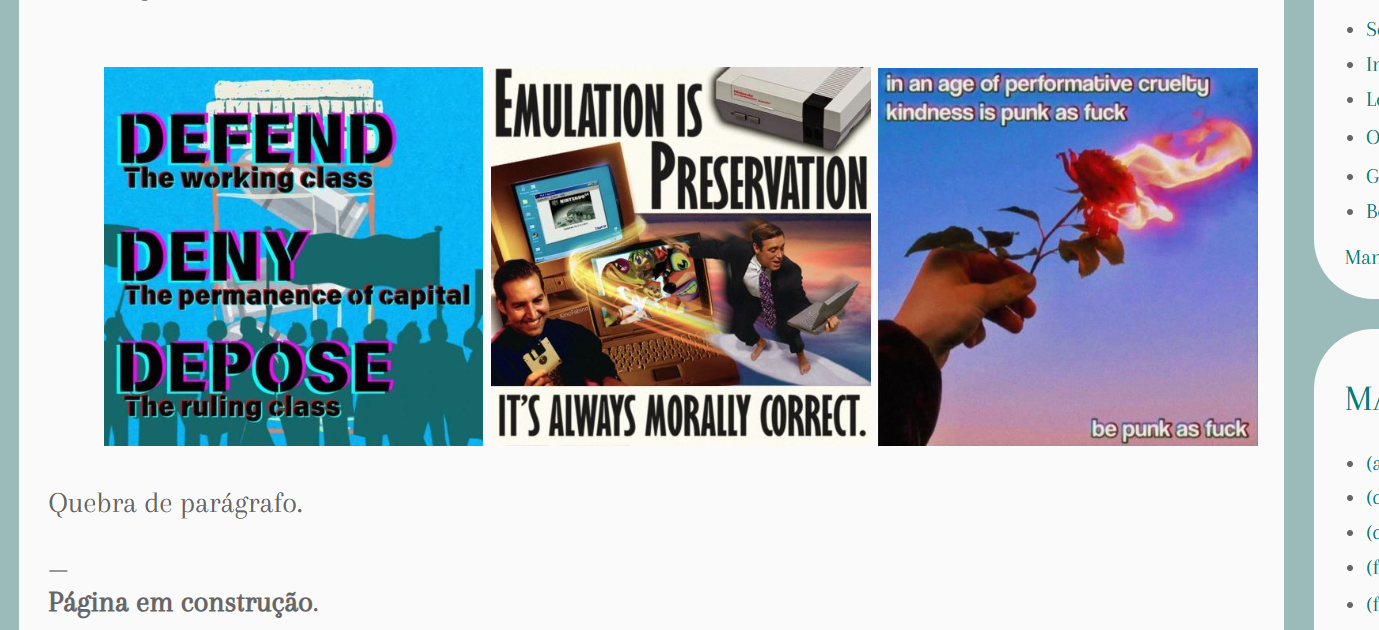
Hi! I've looked around Dreamwidth's FAQ and resources on the web, but I cannot, for the love of goodness, find an answer, so I'm posting this here: how can I make my grid appear perfectly centered, without that strange space on the left? I used the code W3 Schools recommends (I'm 100% new to anything HTML/CSS related, which is why I'm having such a basic headache.) One post from many years ago, in this comm, says it's allowed to ask for coding help... I hope my question fits the criteria. I'm using this code right here:

<div class="row"><div class="column" style="text-align: center;"><img src="https://images2.imgbox.com/9e/24/UkLyf1cp_o.jpg" alt="" width="31.5%" height="auto" />&nbsp;<img src="https://images2.imgbox.com/a9/83/Osh99v8X_o.jpg" alt="" width="31.5%" height="auto" />&nbsp;<img src="https://images2.imgbox.com/c6/0b/X6k9TYNk_o.jpg" alt="" width="31.5%" height="auto" /><style type="text/css">.row{display:flex;flex-wrap:wrap;}</div></style></div></div>

It's like this:

image host
roadrunnertwice: Parking lot stencil: "ALL TREES WILL BE TOWED," with tree glyph in "no" sign. (All trees will be towed)
[personal profile] roadrunnertwice

Hello! Sorry in advance for the non-code-sharing post, but hopefully I can make this worth the interruption.

I'm trying to tune DW's image shrinker to leave decorative codes alone, and to do that I need to identify something that almost all codes have in common.

After browsing the archives for a bit, it looks like almost every code shared here puts all its important stuff inside one of the following:

  • A <table>
  • A <div style="..."> (that is, a div that has some kind of inline CSS on it.)

Is that about right? Can anyone point to a decorative code for character sheets or playlists or whatever that isn't either a table or an inline-styled div? Is there other markup you've seen where the image resizing screwed it up but it wasn't inside a table or a styled div?

(If no, I can start working on making codes exempt from The Squish; if yes, I might need to think a bit harder first.)

Thanks!

More context )

Code help?

Oct. 26th, 2017 08:31 pm
guardian_angel: (Default)
[personal profile] guardian_angel
Hi, hope this is okay to post! I saw a post about asking for coding help but it had so few comments and was yeeears old so I don't think it's in use now?

Anyway, my question:
I found this code over on IJ and wanted to use it over here on DW for this account, but when moving it over to my journal it's... a mess. Usually changing the LJ-specific tags and raw to raw-code fixes it, but no dice. I'm a total code novice, so I have no clue where to go from here to figure out what's wrong/how to fix it. Any help would be greatly appreciated!
excussus: (Default)
[personal profile] excussus
I'm trying to make a cr chart over here, and ran into a few obvious snags. The top left one functions fine, but when I started playing around with moving the text box (top right) and with making the circle clickable to reveal the text (bottom right), it got all messed up. I tried playing with margins, but it didn't do anything. Any help would be super appreciated!

Here's the code:

blue_rampion: Donna Noble with a party hat on her head (Party time)
[personal profile] blue_rampion
Hello everyone! Thanks to everyone who's posted already, and helped get this community off the ground. Also, I'd like to introduce my new co-admin [personal profile] advancing, who will be helping me make sure that everything is running smoothly!

Now, since coding can be tricky and there are a lot of people still learning the ropes of how to code pages on DW, we're introducing a monthly Coding Help Post, of which this is the first! These posts will go up on the first of every month, and here you can:

  • Ask for help with some code that you're working on
  • Ask if anyone might be willing to code something for you (only one request per person, please)
  • Ask if how a code could be modified to work on DW
  • Ask any other questions you might have about coding on DW

We also have a list of Guides to Coding on Dreamwidth for your reference.

If you're willing to help with coding at all, keep an eye out on the comments to this post and help out where you can. And on that note, you may now all ask your questions!

Some news: bgcolor now appears to work in tables on profile codes - I haven't tested it in any posts yet and as far as I know Dreamwidth hasn't said anything officially about it, but it looks like they're allowing this bit of code to work.
Page generated Dec. 25th, 2025 11:49 am
Powered by Dreamwidth Studios